Link in bio for athletes

Link.bio gives athletes one page for your highlights, sponsor discount codes, training plans, merch and a contact button for brands, at link.bio/yourname. Put it in your Instagram, TikTok and YouTube bios so fans and sponsors find everything in one tap, and update it from your phone after every game.

Free to start · No card needed · Live in about a minute

Links to all of these get their own icon, automatically

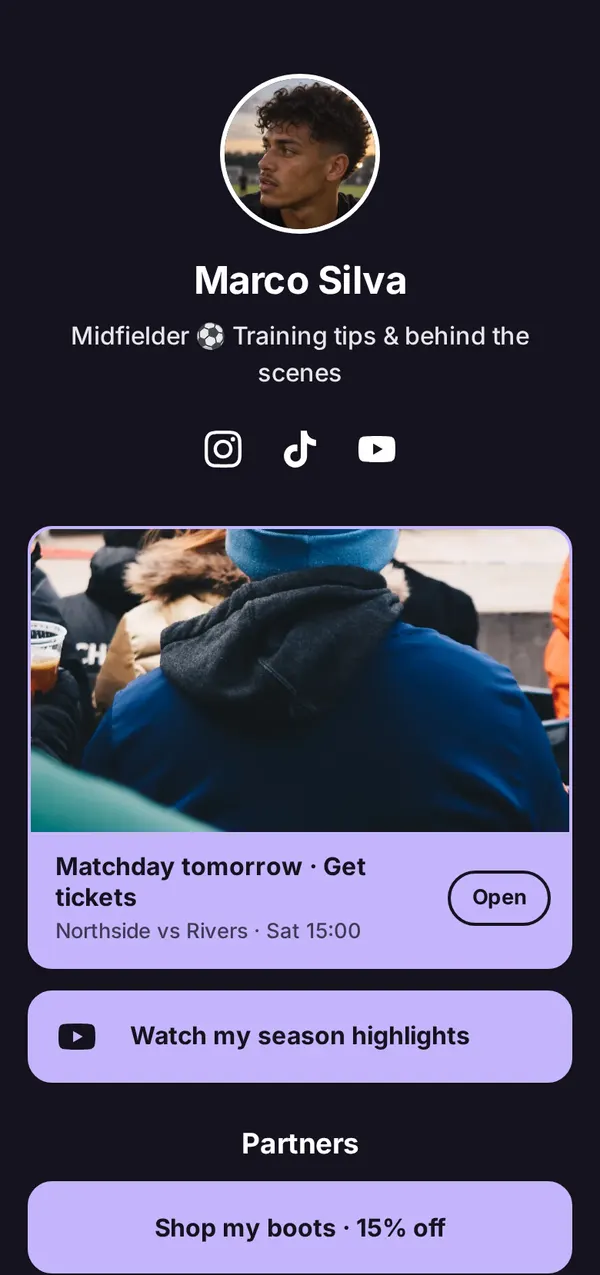
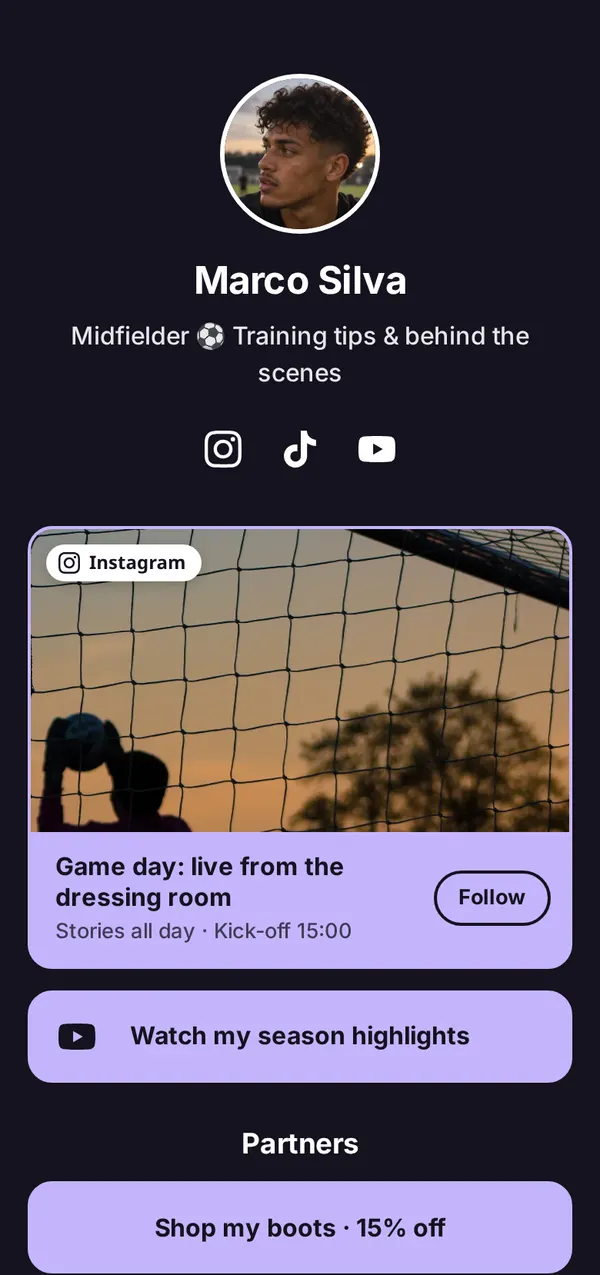
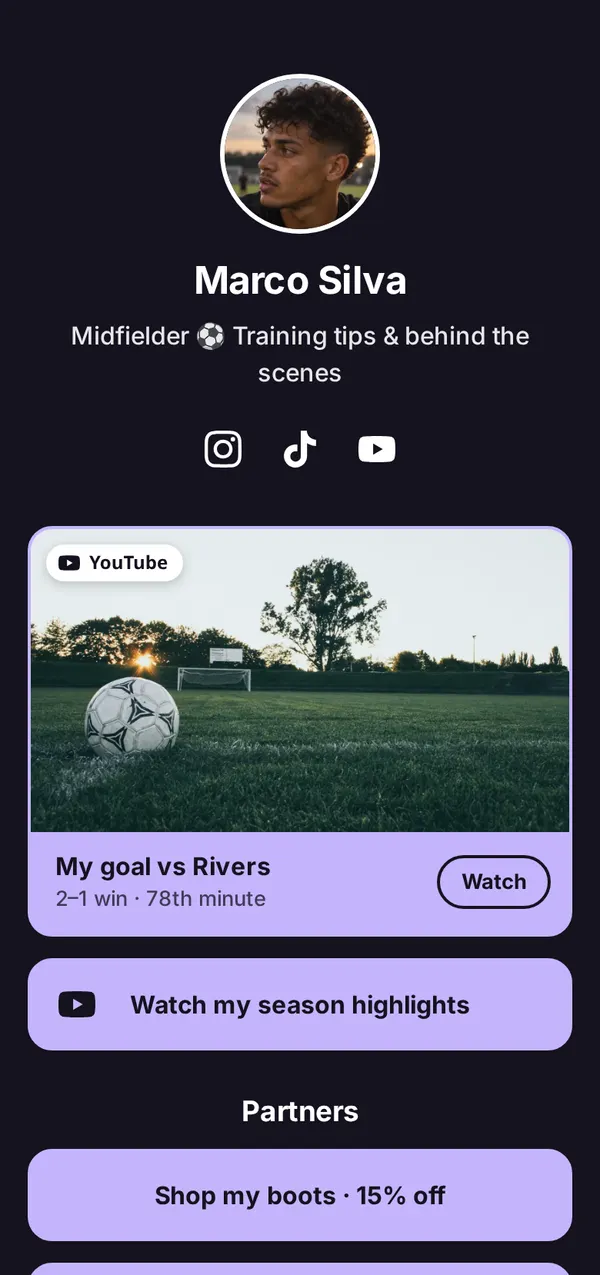
Match week with Marco Silva

One page that keeps up with your season

The fixture before the game, your goal after it. Change the top link from the dressing room, and every bio that points to your page is up to date.

  1. Friday

    The day before: tickets and kick-off time on top.

  2. Saturday

    Game day: the stories from the dressing room.

  3. Sunday

    The day after: the goal goes first.

Claim your name Free to start · No card needed
Highlights

Highlights that play right on your page

Paste a YouTube link and your video plays on your page, so fans watch without leaving. Or make your latest one a big featured card with the video’s own picture, and swap it after the next game.

Sponsors

Show partners what you bring

Put a partner’s code in the link title, then see how many people tapped it. Insights counts your page views and the clicks on every link, with your visitors’ countries and the sites they came from: numbers you can bring to your next sponsor talk. You can look back up to 13 months.

Coaching

Sell your sessions, plans and camps

Coach on the side? Paste your Calendly or Cal.com link and your booking calendar opens over your page, so people book a session without leaving. Training plans, camps and merch go on as links, and tip sites like Patreon or Ko-fi show as a card with their logo.

And the rest

Built for the way athletes work

Build my page with AI

Paste your channel. Get your whole page.

Our AI reads your YouTube channel, Instagram or TikTok and builds your page in seconds: your name, a bio, your newest videos and best links, and a theme. Nothing goes live until you save. How it works.

Your season in photos

A gallery of up to 10 photos fans swipe through: match days, podiums, training.

A QR code for match day

Print it on signing cards, kit bags, banners and your camp flyers.

Your club and academy too

Up to 5 pages on one account, each with its own link, design and stats.

  • link.bio/yourname
  • link.bio/yourname-academy
  • link.bio/yourclub

Your own fan list

Add an email sign-up box for news, camps and drops. You see the list in your dashboard and download it. We never email them.

Claim your name Free to start · No card needed
The line-up

What should an athlete put in their link in bio?

Lead with your latest highlight, then the links that matter to fans and sponsors: partner discount codes, your training content, merch, a contact for brands and your socials. Keep sponsor links near the top, where they get seen.

Team sheetlink.bio/yourname
  1. Your highlightsYour latest highlight reel or match video. Swap it after every big game.
  2. Sponsor codesPartner links with their discount codes in the title, like “Shop my boots · 15% off”.
  3. Training contentYour training plan, workouts or coaching sessions.
  4. Your next eventFixtures, races, competitions or a camp you’re running.
  5. Brand enquiriesAn email button so sponsors and agents can reach you.
  6. Your socialsA row of icons for Instagram, TikTok, YouTube, X and more.
Formation1 link
Examples

Pages for every sport

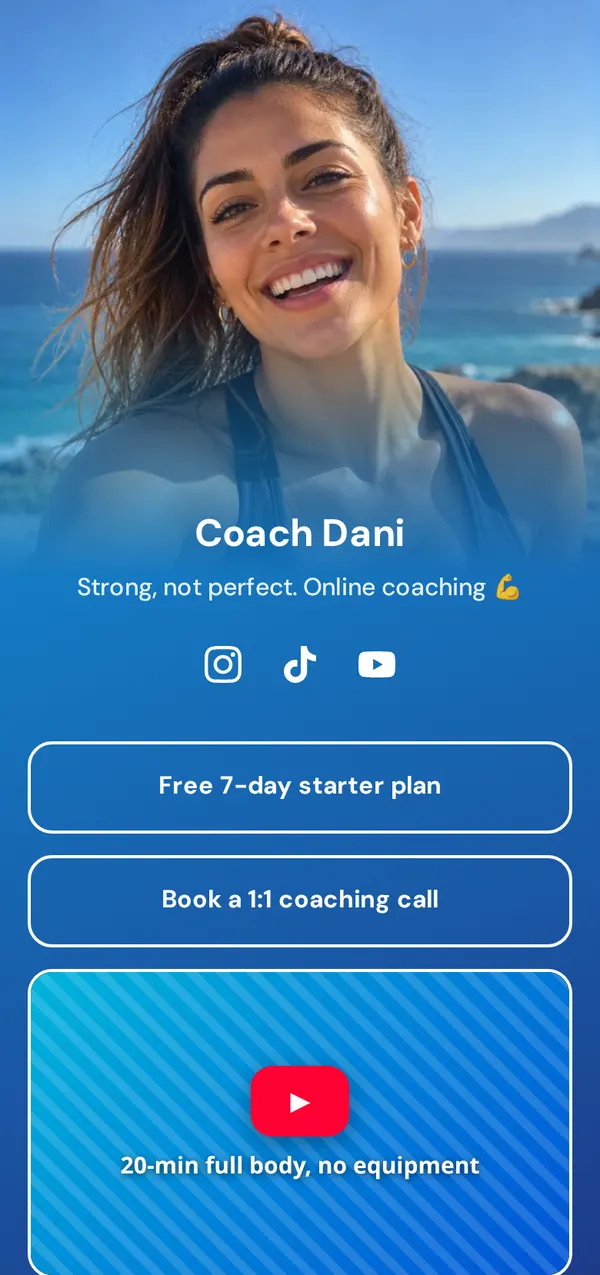
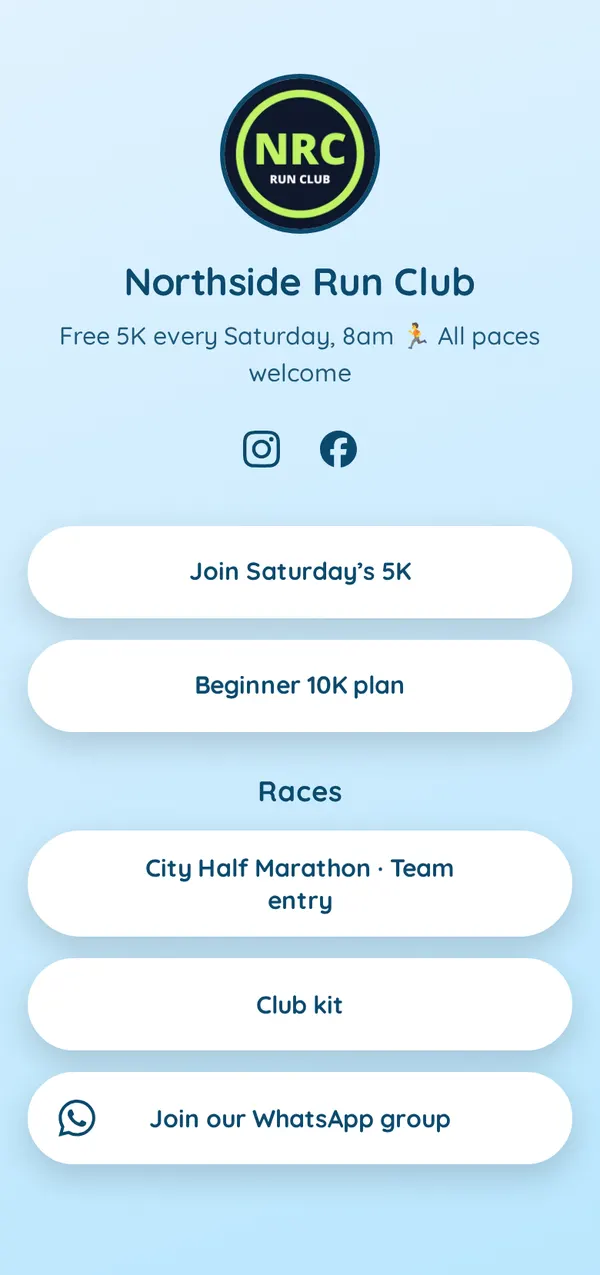
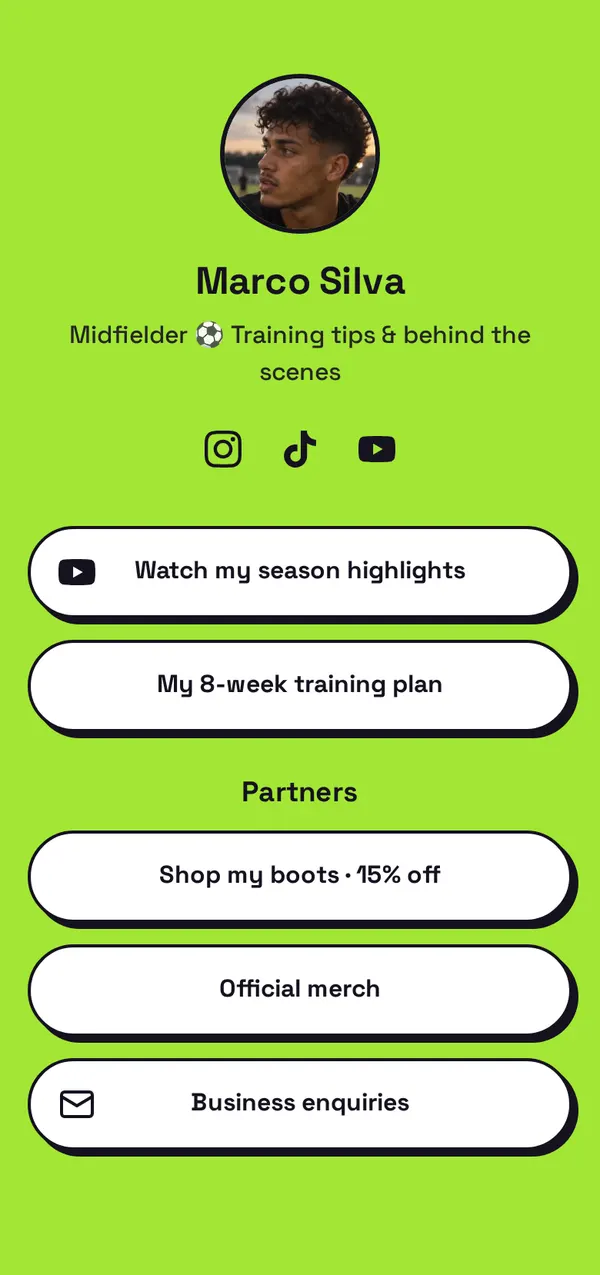
A footballer, a fitness coach and a running club, each in its own theme. Start with one, then make it yours.

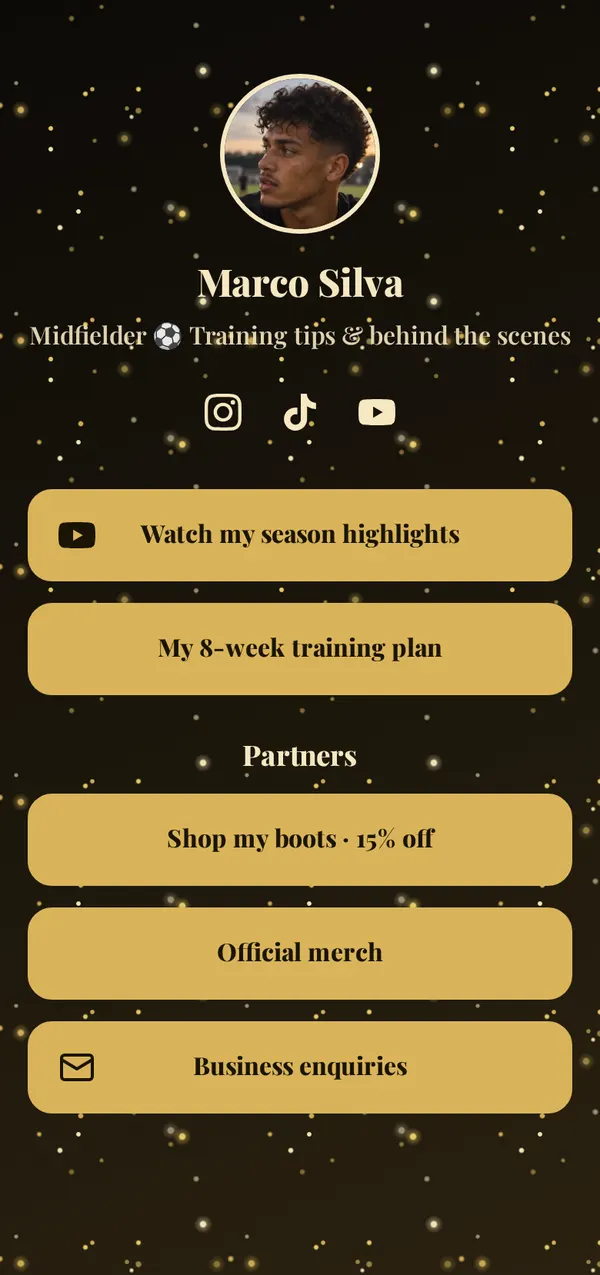
Marco SilvaFootballer · Gold theme · animated Start with this theme
Coach DaniFitness coach · Ocean theme Start with this theme
Northside Run ClubRunning club · Sky theme Start with this theme
How to

How to set up your athlete link in bio

  1. 1

    Claim your name

    Pick link.bio/yourname. It’s free and takes ten seconds.

  2. 2

    Add your highlights and partners

    Paste your YouTube or Instagram and let AI fill in the page, or add links yourself: we add the right icon to each. Put sponsor codes in the link titles.

  3. 3

    Put it in your bios

    Add your link to Instagram, TikTok, YouTube and X. Here’s where it goes on each app.

Game plan

5 tips for an athlete’s link in bio

  1. Lead with your latest highlight, as a big featured card with the video’s picture. Fans who just watched you play want more of it.
  2. Put the discount code in the link title, like “Shop my boots · 15% off”, so fans see the deal before they tap.
  3. Use a header for partners, so sponsor links are grouped and easy to find.
  4. Screenshot your stats each month: clicks on a partner’s link are proof you can bring to your next sponsor talk.
  5. Keep it current. Take down old fixtures and expired codes, so every tap leads somewhere that still works.
FAQ

Questions athletes ask

What is a link in bio for athletes?

It’s the one link in your social profiles that opens a page with everything about you: highlights, sponsor codes, training content, merch and a way for brands to reach you.

Is Link.bio free for athletes?

Yes. Every feature and every theme is free, music and video players included. No credit card needed.

Can I show sponsors how many people clicked their link?

Yes. Insights shows the clicks on each link, so you can share how many people tapped a partner’s link or code. You can look back up to 13 months.

Can I add my highlight videos?

Yes. Add a YouTube link as a normal link, or show it as a video player on your page.

Can AI build my athlete page?

Yes. Paste your YouTube channel, Instagram or TikTok into “Build my page with AI” and in seconds it writes your bio, adds your newest videos and best links, and suggests a theme. Nothing goes live until you save.

How do I add a discount code?

Write the code in the link’s title, like “Shop my boots · 15% off with MARCO15”, and point the link to the partner’s shop.

Can people book coaching sessions on my page?

Yes. Paste your Calendly or Cal.com link and your booking calendar opens right on your page, so people pick a time without leaving.

Can I sell merch or training plans from my page?

Yes. Link to your shop or your plan’s page: links to Shopify, Etsy, Gumroad and more get their icon, and tip sites like Patreon and Ko-fi can show as a card with their logo and a button.

Can I make a page for my team or academy too?

Yes. One account can have up to 5 pages, each with its own link, links, design and stats.
Last updated

Your name is waiting. Claim it before someone else does.

Set up your page in under a minute.